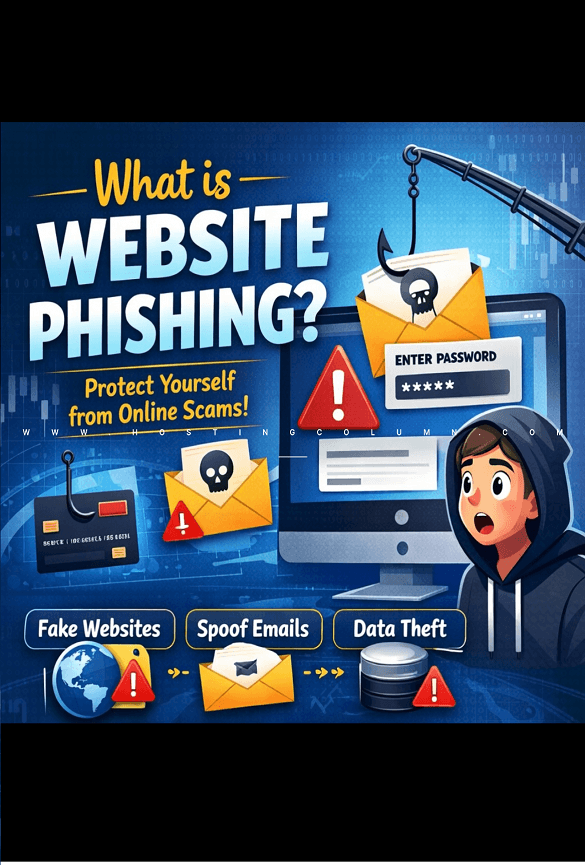
Although phishing attacks are not new, company owners should be aware of the growing threat they pose. Phishing scams are attempts by a third party to obtain your personal data in order to make money. It is crucial for all internet users to develop the ability to avoid the traps that hackers and scammers construct every day. Additionally, it will cost you money if you operate any part of your firm online.
Phishing indicators
The following are some things to be aware of, though they apply to the majority of phishing attacks:
Incorrect domain used in the email address: Verify the domain from which official-looking emails originate. You won’t receive emails from your bank using a gmail.com account.
Lookalike email domains: Be cautious of fake domains that closely resemble legitimate ones. Scammers often make subtle changes, such as replacing the letter “O” with the number “0” or using “rn” in place of the letter “m,” to make fraudulent URLs appear authentic.
Generic email greetings: Be wary of emails that use generic greetings because businesses with which you do business have your complete name on file.
Misleading links: Don’t click links without checking them first. To make sure the link is leading to a legitimate location, always hover your cursor over it to see the complete URL. Android and iOS users can preview links by long-pressing them on their mobile devices.
Refrain from opening unexpected attachments: Unless you’ve specifically requested a file, messages from your bank typically won’t contain attachments.
Errors in grammar: This may be trickier to identify with the rise of AI-generated content, but if the language or structure appears unusual, it’s probably a scam.
4 strategies to safeguard your business against phishing attacks
To assist you in avoiding future challenges, here are three essential methods to shield your business from the numerous phishing scams present on the internet:
- Utilize antivirus programs.
- Transition to HTTPS.
- Educate employees on safe email practices.
- Set up email filtering and spam protection
1. Use antivirus software and make sure it is regularly updated.
Business owners have access to a wide range of online tools and antivirus services designed to strengthen website security. Some come with a cost, while others are free but reserve certain features for paying customers. If you suspect your website has already been compromised, there are also specialized companies that can thoroughly remove malware and restore your site’s security.
There are a variety of tools and antivirus software services available online for business owners looking to fortify their website. Some are more expensive, others are free (but have exclusive features for paid customers only). Or if you believe your website has already been hacked, there are companies that will take time to clean up every instance of malware on your site.
Cyber threats are constantly evolving, so relying on outdated antivirus software can leave your company’s data vulnerable. In fact, outdated antivirus programs may provide little more protection than having no antivirus at all. To help keep your systems secure, make sure your antivirus software is updated regularly.
2. Move Your Website to HTTPS (and Be Aware of HTTPS Scams)
An obscure type of phishing known as pharming can be very harmful because it can compromise users without requiring them to click links or download attachments. Using HTTPS helps protect your website by encrypting the data exchanged between your site and its visitors.
However, remember that HTTPS does not automatically mean a website is trustworthy. Cybercriminals can sometimes obtain or misuse SSL certificates, giving fraudulent websites the appearance of being secure. Always verify the website’s URL and legitimacy before entering sensitive information.
How Secure Connections Are Established
When a visitor accesses your HTTPS-enabled website, a secure connection is created through a few automatic steps:
- Certificate exchange: Your website sends its SSL/TLS certificate to the visitor’s browser. The certificate includes the public key used to initiate the secure connection.
- SSL/TLS handshake: The browser and server communicate back and forth to verify the connection and agree on the encryption settings that will be used.
- Encrypted connection: After the handshake is completed, the information exchanged between the browser and server is encrypted, helping protect it from unauthorized access.
The entire handshake process takes place automatically within milliseconds, allowing visitors to establish a secure connection without any noticeable delay.
3. Teach Employees the Importance of Safe Email Practices (Think Before You Click!)
Even the most advanced antivirus and security tools cannot completely protect a company from human error. A single careless click on a malicious link or attachment in an email can put sensitive company data at risk.
If you suspect an email might be a phishing attempt, follow these steps:
- Never click links or open attachments in suspicious emails, even if you’re curious.
- Verify through official channels: If you’re concerned a suspicious message could be legitimate, don’t use any contact information from the email. Instead, go directly to the organization’s website by typing the URL into your browser, or call them using a phone number from their official website.
- Confirm with the sender: If the message appears to come from someone you know, contact them through a different method (a text message or phone call) to verify they actually sent it.
- Report the message: Use your email provider’s reporting tools to flag phishing attempts. This helps improve filters for everyone.
- Delete the message: After reporting, remove the phishing email from your inbox entirely.
4. Implement Email Filtering and Spam Protection
Effective email filtering can block many phishing messages before they ever reach your employees’ inboxes, making it an important first line of defense against cyber threats.
Most professional email providers include built-in spam filtering tools that allow you to:
- Block specific domains: Stop messages from known or suspicious phishing sources from reaching your inboxes.
- Enable automatic filtering: Automatically move potentially harmful emails to spam based on common phishing indicators.
- Create custom rules: Set filters based on keywords, sender patterns, or attachment types frequently associated with phishing attempts.
- Whitelist trusted senders: Make sure legitimate business communications are delivered without being incorrectly filtered.
Configure your professional email system and apply spam protection settings across the organization to safeguard all employees. Regularly review filtered messages to make sure legitimate emails are not being blocked, and update your rules as new phishing techniques emerge.
By filtering suspicious emails before they reach your team, you can significantly reduce the number of phishing attempts employees encounter and lower the risk of human error.
Thanks for visiting. For queries and suggestions, emails are welcome at learnweb@hostingcolumn.com.
Subscribe to Hosting Column for the latest updates and posts.